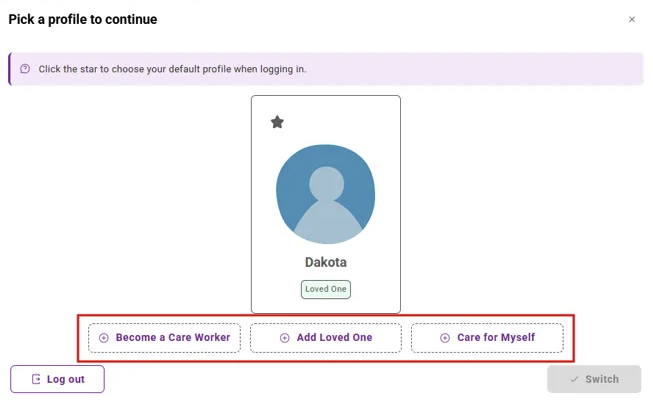
Once logged into Mycare, your user menu displays all current profiles you have, and allows you to add new profiles or switch between existing profiles.
Accessing your user menu:
-
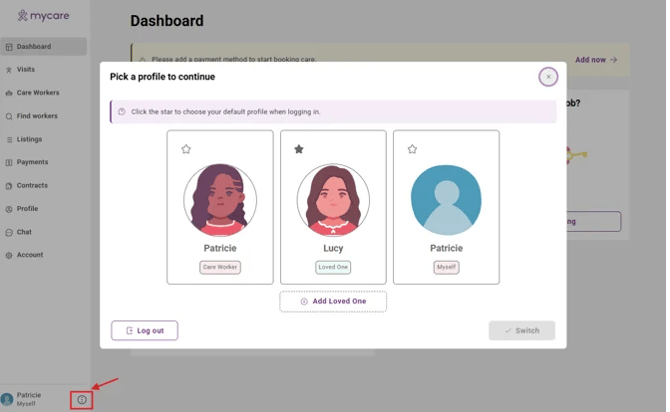
On desktop: clieck the three dots in the bottom left-hand corner to open the user menu (see image below)
- On mobile: Tap the three lines in the top right hand corner, then scroll to the bottom
Switching between profiles/setting a default profile
-
Switching profiles:
- User the user menu to switch between profiles (e.g. care worker, organiser, loved one). Select the profile you desire, then 'switch'.
-
Default profile:
- The default profile is the one you see each time you login
- The default profile on login will be the first account you set up
- You may change the default by selecting the star icon next to your preferred profile
Adding a Profile
Open the user menu. You will see options as to what other profiles you may add.