
As time goes by, you may wish to increase your workers contracted rate. Or there may be situations where you want a second contract with them, each at a different rate.
- Agree on the new rate with the worker. This happens directly between you and the worker.
- Starting making a booking
-
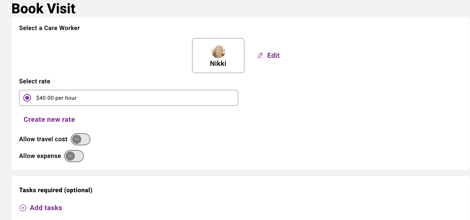
Select the correct worker
-
Select 'Create new rate'
New Contract
This will create a new contract with the new rate. You can end the old contract if you do not wish to use that rate again.
Remember to end old contracts that are no longer used. If you have a worker on multiple rates, for each booking make sure you select the correct pay rate